
REVIEW · ATHENS
Acropolis: 3D representations & audiovisual self-guided tour
Book on GetYourGuide →Operated by Culture App · Bookable on GetYourGuide
Your phone turns Athens into a time machine. I love the 3D reconstructions that rebuild key monuments and the audio narration that tells you what you’re looking at. One catch: you’ll need a charged smartphone, internet access, and the Acropolis entrance fee is not included.
I also like the interactive map for tracking where you are on the hill and the 360° panoramas that help you orient toward the sea. It’s self-paced, with the tour working across a 5-day window after first activation.
In This Review
- Key highlights you’ll feel immediately
- Getting to the Acropolis and starting your self-guided route
- What the app gives you at the Acropolis (and what it doesn’t)
- The 3D reconstructions: the best reason to bring a phone
- Parthenon area: turning big views into real understanding
- Erechtheion: where the stories start to feel personal
- Temple of Athena Nike and the art of finding your angles
- 360° panoramas and the view toward the sea
- Videos and related stories: useful context, not filler
- Interactive map tips for a smooth, low-stress visit
- Price and value: $9.02 for 5 days of monument-level content
- Tech requirements you should plan for (so it doesn’t feel stressful)
- Who this is best for (and who might prefer something else)
- Should you book the Acropolis 3D & audiovisual self-guided tour?
- FAQ
- Does the tour price include the Acropolis entrance fee?
- How long is the tour valid?
- Where is the meeting point?
- What languages are available?
- Do I need internet access?
- How much storage space does the app need?
- What do I need to bring to use the tour well?
- Is the tour only usable during my visit?
Key highlights you’ll feel immediately

- 3D reconstructions of major monuments so you can picture them in ancient form
- Audio narration for 17 monuments in 8 languages
- 360° panoramas and interactive mapping to help you place yourself fast
- Video segments and related stories for deeper context at selected stops
- Use anytime before, during, or after your visit (with the app downloaded)
Getting to the Acropolis and starting your self-guided route

This is a self-guided tour, so there’s no meeting point where you have to coordinate with anyone. You simply head to the Acropolis Archaeological site and start the app when you’re ready. That freedom matters here, because the Acropolis is the kind of place where your pace changes hour to hour: morning light hits differently, and the crowds move in waves.
For getting there, the easiest method is metro. Take the RED line and get off at Acropolis metro station, then plan about a 10-minute walk uphill to the site. Once you’re there, the app’s interactive map helps you line up the monuments with your position, which saves time (and reduces the classic feeling of walking in circles while everyone else knows where they’re going).
Practical note: since you’ll be using your phone as your guide, I’d treat it like a tool, not a souvenir. Keep your brightness reasonable to save battery, and bring earphones so you can follow narration without blasting audio across the terraces.
You can also read our reviews of more guided tours in Athens



What the app gives you at the Acropolis (and what it doesn’t)
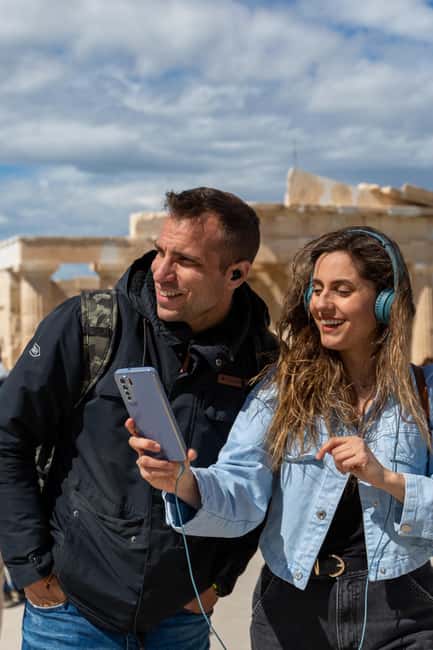
You’re paying for content, not a guided escort. The entrance fee is separate, and food, drinks, transportation, and guide services aren’t included. So think of this as buying a high-quality digital companion that runs on your schedule.
Here’s what you do get:
- Downloadable Culture App content for Android and iOS
- Audio narration and historical info covering 17 monuments
- 3D models and 360° panoramas for 15 monuments
- Immersive videos for 14 monuments
- Related stories tied to 8 monuments
- An interactive map to help you locate landmarks
- Support for 8 languages: English, Greek, Spanish, German, French, Italian, Dutch, and Chinese
Also, the tour is valid for 5 days from first activation, and you can use it anywhere, anytime, before, during, or after your visit. That’s useful if you want to do a quick preview the day before, then slow down on-site the next day.
One more thing I appreciate: you don’t need to rely on the app staying open perfectly at all times. You can delete or retrieve purchased content from your device anytime, which is helpful if you’re managing limited storage.
The 3D reconstructions: the best reason to bring a phone

If the Acropolis were only “stones and labels,” it would be hard to fully appreciate. What changes everything here is that the app uses 3D reconstructions and videos to show monuments as they appeared in antiquity. Instead of guessing how a ruin looked when it was whole, you can compare the living scene in front of you with a digital reconstruction.
You also get a major cultural benefit: the app doesn’t just show shapes—it connects them to art, myths, and events that shaped Athens. The Parthenon, Erechtheion, Temple of Athena Nike, and other iconic structures are brought to life in 3D detail, so your brain isn’t stuck translating “fragment + imagination” the whole time.
How to use this for maximum payoff:
- Pause for the 3D view when you reach the main subject in real life
- Listen to the audio narration while you look at the monument, not right after you walk away
- Use the 360° view when you’re ready to re-check your bearings
This is the difference between seeing the Acropolis as a photo-op and actually understanding how all these parts relate.
Parthenon area: turning big views into real understanding
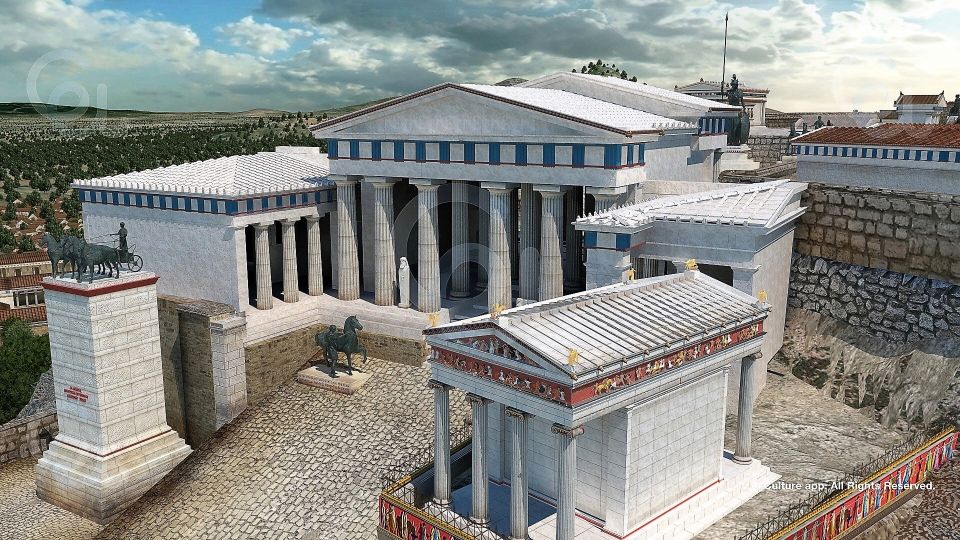
The Parthenon isn’t just the main stop—it’s the stop that helps you calibrate the entire site. In your visit flow, treat it like the anchor.
When you reach the Parthenon area, the app’s audio narration and 3D detail can help you connect what you’re seeing now with what once stood there. That matters because many details on the hill are subtle at first glance: angles, placements, and how structures line up across the complex. A reconstruction view lets you stop guessing and start recognizing.
What I found especially practical is that the narration format keeps you from getting lost in visual overload. You’ll know what the monument is, why it mattered, and what stories surround it. The app also frames myths and legendary figures tied to Athens’ glory, so your understanding isn’t only architectural—it’s cultural.
Possible snag to keep in mind: the Acropolis is outdoors and exposed. If you’re using the app heavily (3D + audio + map), you’ll want comfortable shoes and a phone that stays charged. Consider taking short breaks to refill water before you run down your battery.
Erechtheion: where the stories start to feel personal

The Erechtheion is the kind of monument where you might think, “I’ve seen it,” but you still miss what makes it distinct until you understand its context. That’s where the app’s narration and visual reconstructions can help.
Because the app includes 3D models for key monuments, you can compare the present-day structure with an ancient-era appearance. The result is that you stop treating Erechtheion as another stop in a list and start reading it like a chapter in Athens’ story.
Also, the app includes related stories for some monuments (8 monuments in total). That means you’re not only getting facts—you’ll sometimes get narrative context that makes the site feel less like a museum display and more like a place where people believed, competed, worshiped, and built.
In practice, I’d recommend you slow down at Erechtheion. Don’t try to “tick it off” while you’re still moving fast across the hill. Get a clear look, then use the app content to connect the visuals to the cultural meaning.
You can also read our reviews of more tours and experiences in Athens






Temple of Athena Nike and the art of finding your angles

Temple of Athena Nike is small compared with the Parthenon, but it often becomes more memorable once you can see how it fits into the overall view from the Acropolis. The app’s combination of audio narration and 3D detail helps you place this temple in the bigger picture.
This is where 360° panoramas can do real work. Stand where you can see multiple directions, pull up a 360° view, and let the audio walk you through what you’re looking at. It’s much easier to understand spatial relationships when you can rotate your view virtually while listening.
If you do this right, you’ll come away with a sense of why this location was chosen. Temples on the Acropolis weren’t random ornaments; they were built in specific sightlines and symbolic positions.
360° panoramas and the view toward the sea

One of the highlights promised for this tour is a unique view of the city up to the sea. That’s not just a nice photo opportunity—it’s a navigation aid.
When you use the 360° panoramas, you’re training your eyes to recognize the city layout around you. Even if you don’t memorize a map, the mental model helps. The hill stops feel connected to the city below instead of like isolated islands of stone.
For the best experience, I’d use panoramas at two moments:
- Early on so you get oriented
- Later, after you’ve learned what you’re seeing, so you can “read” the views with context
Remember: you’ll be outside, and wind can dry you out fast. Bring water and a sun hat, and keep your phone protected.
Videos and related stories: useful context, not filler
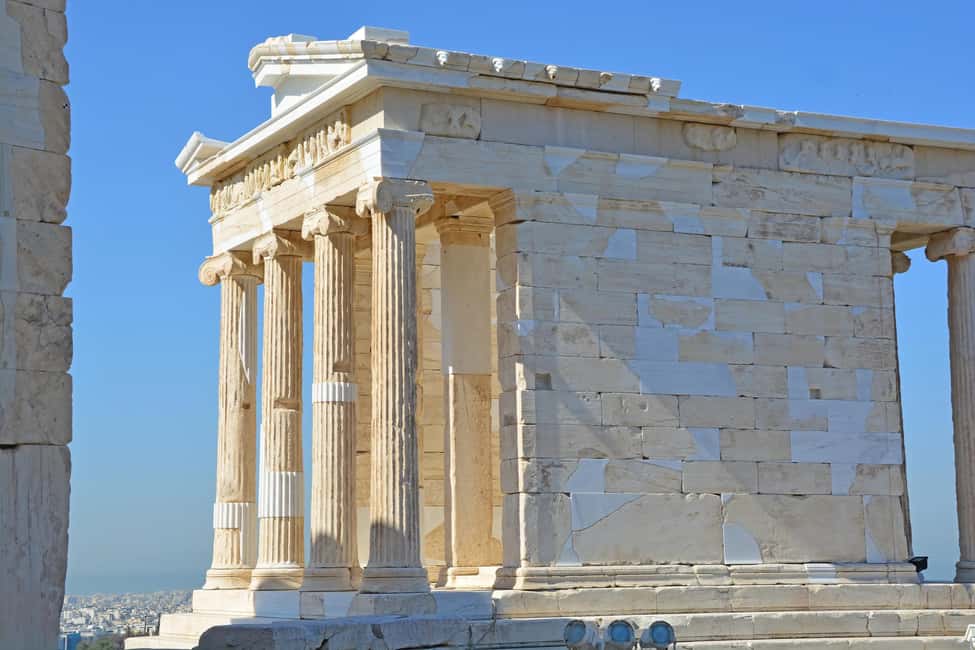
Some monuments come with videos, and some have related stories. That matters because the Acropolis can feel like a blur of architecture if you only rely on audio narration.
The videos can help with reconstruction visuals—especially if you’re standing at an angle that doesn’t immediately show the monument’s logic. Related stories add human texture: myths and events that connect the stonework to what people in ancient Athens thought and feared and celebrated.
A simple way to get value without overdoing it:
- Use video when you’re confused about what you’re seeing
- Use stories when you want the emotional layer (myth, character, civic meaning)
- Stick to audio when you’re walking and want to keep flow
That keeps your attention on the actual site instead of turning the whole visit into a screen session.
Interactive map tips for a smooth, low-stress visit
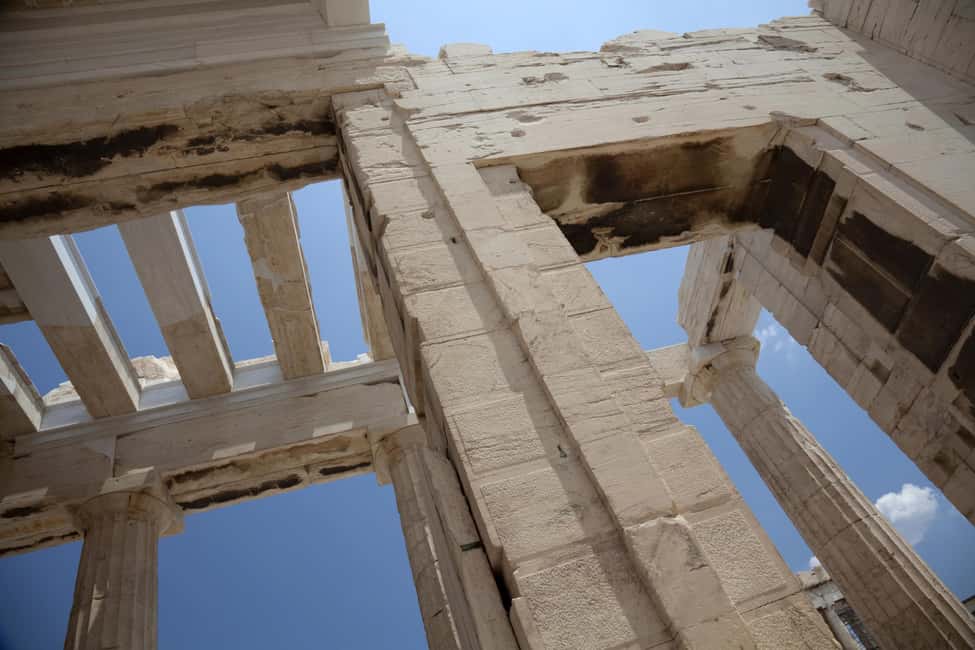
At the Acropolis, it’s easy to get “mentally unhooked” from where you are, especially if you stop for photos. The app’s interactive map helps you locate landmarks and move logically from point to point.
Here’s how I’d use it:
- Before you start, download or launch the content so you’re ready when you’re on-site
- When you arrive at a new cluster of monuments, use the map to confirm you’re at the right spot
- Don’t rely on memory from one monument to the next; let the map reset you
This is one of the reasons I like app-based self-guiding at major sites: you get structure without a forced pace.
Price and value: $9.02 for 5 days of monument-level content
At $9.02 per person, this is one of the cheaper ways to add meaningful interpretation to a major UNESCO site—especially because you’re not just getting a single audio track. You’re getting:
- Audio for 17 monuments
- 3D and 360° for 15 monuments
- Videos for 14 monuments
- Related stories for 8 monuments
- Eight-language support
The value calculation changes based on one thing: whether you actually use the content while you’re there. If you simply buy the app and never run the 3D or audio, the price won’t feel as strong. If you use it in short segments, pausing where the app offers reconstructions, the cost becomes reasonable fast.
Also, the “valid 5 days from first activation” detail makes it easier to plan around your timing. You can come back the same trip if you want, or use it later to review what you saw.
Tech requirements you should plan for (so it doesn’t feel stressful)
This tour runs on your phone, so the logistics are part of the experience. Here are the key requirements you should take seriously:
- Internet access is required to use the tours effectively
- You’ll need about 200MB of storage space
- Use a smartphone with a strong charge
- Bring earphones so you can listen comfortably
Device requirements:
- iOS 11.0 or later
- Android 5.1 or later
After booking, you receive an email from the provider (Culture App) with instructions to download the content. Check spam folders—this is one of those small things that can save you a lot of on-site frustration.
If you want a smooth visit, treat download time as part of your travel plan. Download before you head out for the day, especially if your mobile data is limited.
Who this is best for (and who might prefer something else)
This self-guided app is a strong fit if you:
- Like to explore at your own pace
- Enjoy audio narration and want more than basic signs
- Want 3D reconstructions to understand how ruins looked in antiquity
- Prefer to travel light on cost compared with booking a full guided tour
It may feel less ideal if you:
- Don’t want to rely on a smartphone
- Have trouble with batteries or unstable internet
- Prefer a live human guide to answer spontaneous questions
But for most independent travelers, the combination of audio + 3D + map support makes it a practical way to get real meaning from the Acropolis without locking yourself into a rigid schedule.
Should you book the Acropolis 3D & audiovisual self-guided tour?
I’d book this if you’re excited by the idea of seeing the Parthenon, Erechtheion, Temple of Athena Nike, and other major monuments in reconstructed form—with audio explanations in your language—while you walk the site at your own pace.
Do it especially if you plan to pause often. The app’s best features (3D models, 360° views, videos) reward a slower stop-by-stop approach. If you’re the type who rushes through monuments, you might not get the value you’re paying for.
If you’re comfortable with phones, earphones, and downloading content ahead of time, this is a smart, low-cost way to turn the Acropolis from a dramatic backdrop into something you actually understand.
FAQ
Does the tour price include the Acropolis entrance fee?
No. The entrance fee is not included.
How long is the tour valid?
It’s valid for 5 days from the first activation.
Where is the meeting point?
There is no meeting point. The tour is self-guided.
What languages are available?
Audio narration is available in English, Greek, Spanish, Italian, French, German, Dutch, and Chinese.
Do I need internet access?
Yes. Internet access is required to use the tours effectively.
How much storage space does the app need?
You need approximately 200MB of storage space on your phone.
What do I need to bring to use the tour well?
Bring comfortable shoes, a sun hat, water, and a charged smartphone. Earphones are also recommended.
Is the tour only usable during my visit?
No. The self-guided tour can be used anywhere anytime, before, during, or after your visit.
You Might Also Enjoy




More Guided Tours in Athens

More Tours in Athens


More Tour Reviews in Athens
- All Day Cruise -3 Islands to Agistri,Moni, Aegina with lunch and drinks included
★ 5.0 · 4,958 reviews